Reducing cases with the help of variants/roles + Changelog
The fact that each test case variant/role does not need its own case seems beneficial.
In terms of managing it visually.
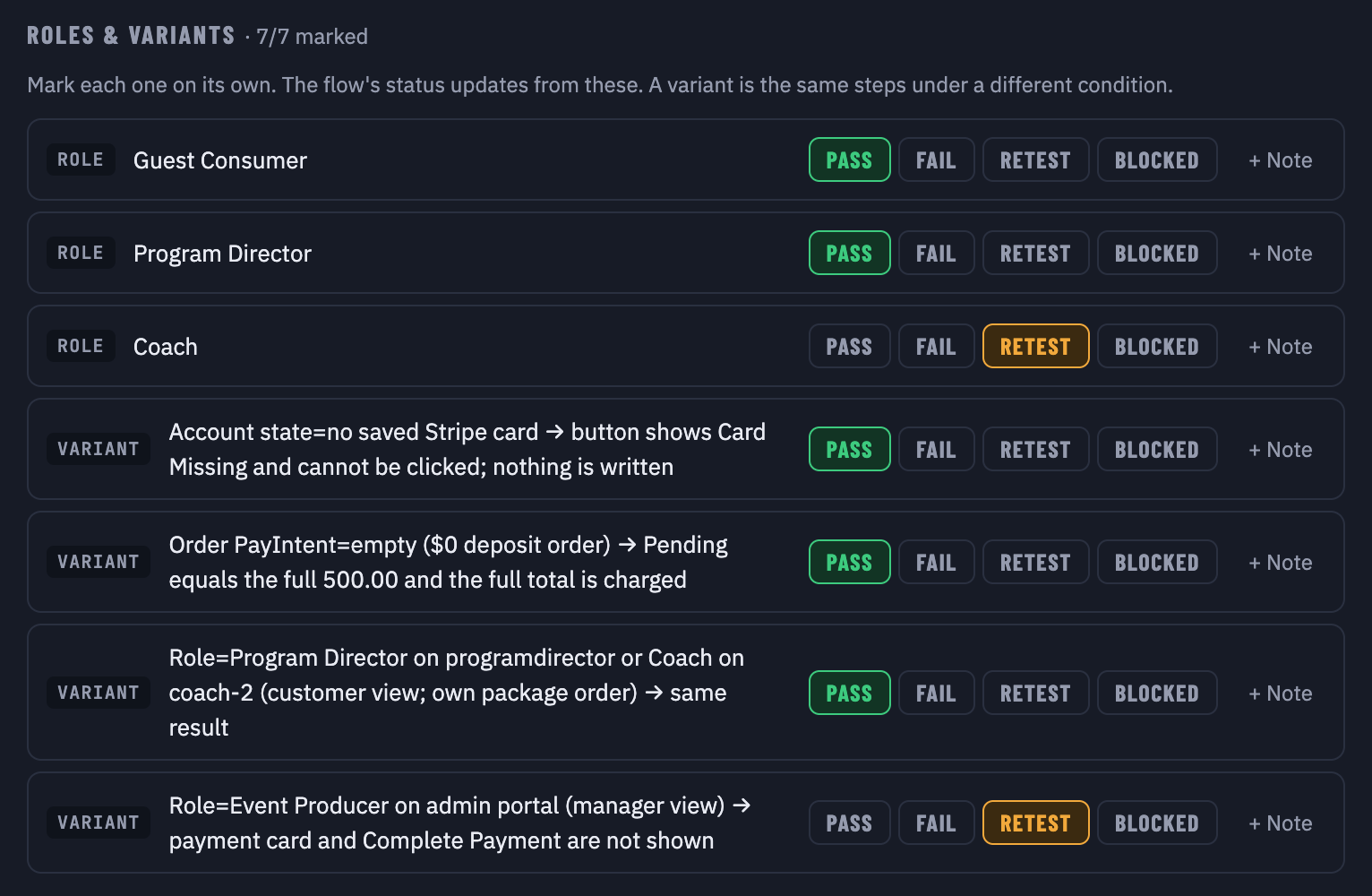
I define a variant as something that changes without changing the actions.
There is some complexity, though.
If a variant and multiple roles for a case exist.
Then each variant will need to be tested for all roles.
Increasing the combinations exponentially.
I could be wrong about the variant and role handling approach.
Let's see.
On another note.
I have been making a few changes, like adding Notes, to the test case and each variant/role.
Also made the preconditions and expected outcomes bullets, as they were super unreadable.
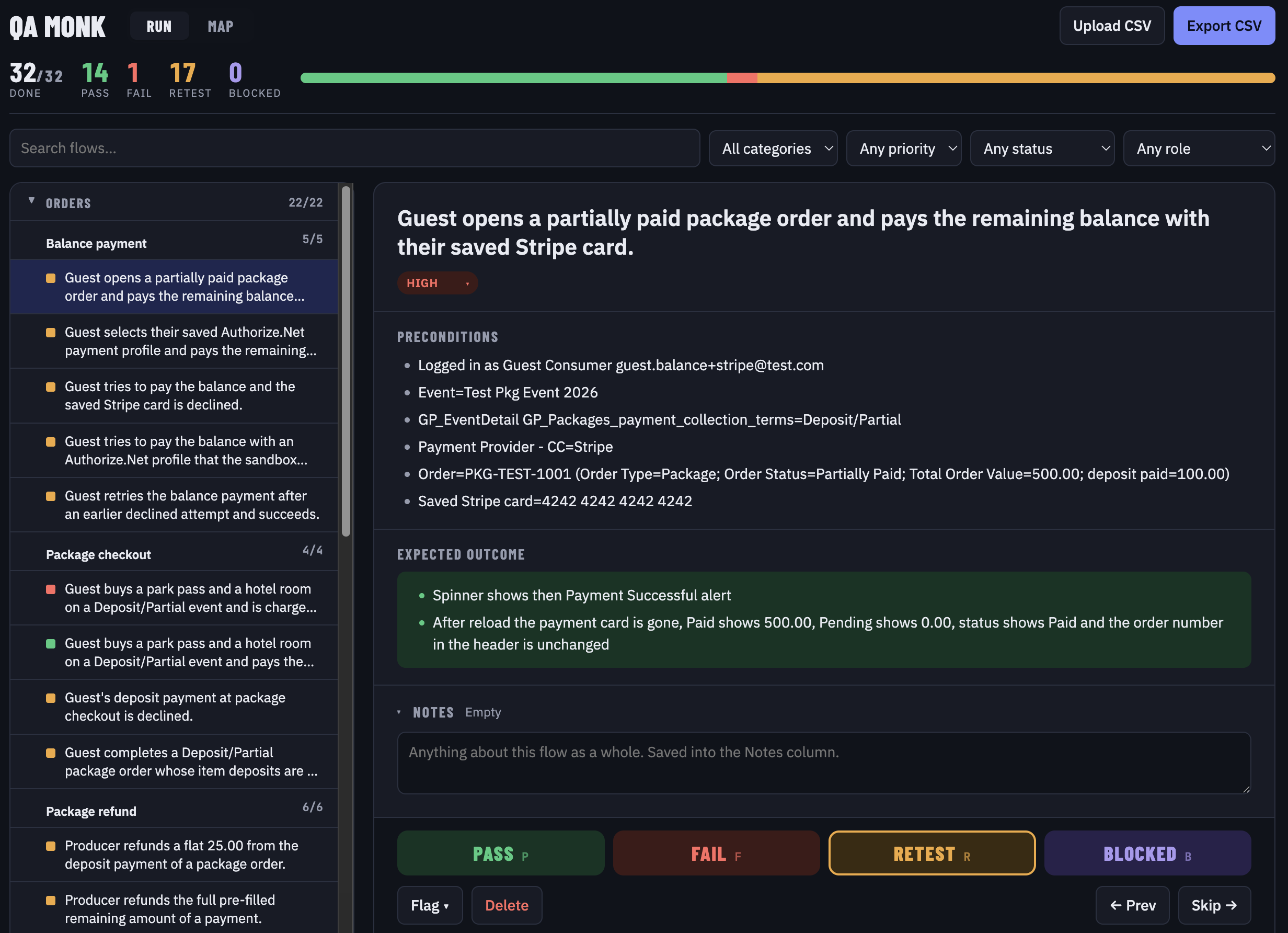
Here is the complete list of change log.
Changes made
QA Monk 1.3 → 1.4
New features
- Editable priority: The priority tag under the flow title is a dropdown (High / Medium / Low), saved straight to the Priority column.
- Notes for the flow, each role and each variant:
- The flow has a collapsible Notes box that previews the note while closed.
- Each role and variant row has a + Note button.
- All notes are saved in one Notes column as
Flow: … | Coach: … | Viewport=Mobile 390px: …, and they’re read back when you upload that CSV again.
- Add rows by dropping or uploading a CSV:
- You choose Add to current flows or Replace everything.
- Flows whose Flow name already exists are skipped, and existing results and notes are never touched.
- New flows land in their own category and sub-category and carry a New tag until marked.
- Role columns line up even when the two files name them differently.
- Undo is available right after adding.
- Status filter: A dropdown for Untested, Pass, Fail, Retest, Blocked, Flagged, Not required or False generated. It applies to the list, the Map and the counts.
Changes
- No auto-jump: You stay on a flow after marking it. The “Jump to next” and “Untested only” checkboxes are gone.
- Bullets: Preconditions and Expected outcome show as bullet lists, and a “BUG:” point shows in red.
- Less clutter: Under the title there’s now only the priority dropdown, with no status, role or finding tags. The file name next to the heading and the Flagged count at the top are also gone.
- Full width: The title, text sections and helper text use the full card width, and the page fills wide screens.
Fixes
- Export: It no longer depends on an online CSV library, so it can’t silently do nothing. It also scrolls to the export panel and confirms how many flows it exported.
- Typing in notes: The P / F / R / B keys don’t fire while you type in a note.
Test case generator v2.3 → v2.4
- Preconditions are now plain-English points separated by
;, which QA Monk shows as bullets: - who is logged in and with which test account comes first;
- then one point per record or setting, in the words the app’s screens use rather than Bubble field names;
- exact values are kept, there are no bracketed lists of settings, at most 6 points, and no references to other rows.
- Expected Outcome is now plain-English points in the order they happen, also shown as bullets:
- start with when or where where needed (“After reload: …”);
- put exact on-screen text in quotes;
- one check per point, with any “BUG:” note as the last point.